
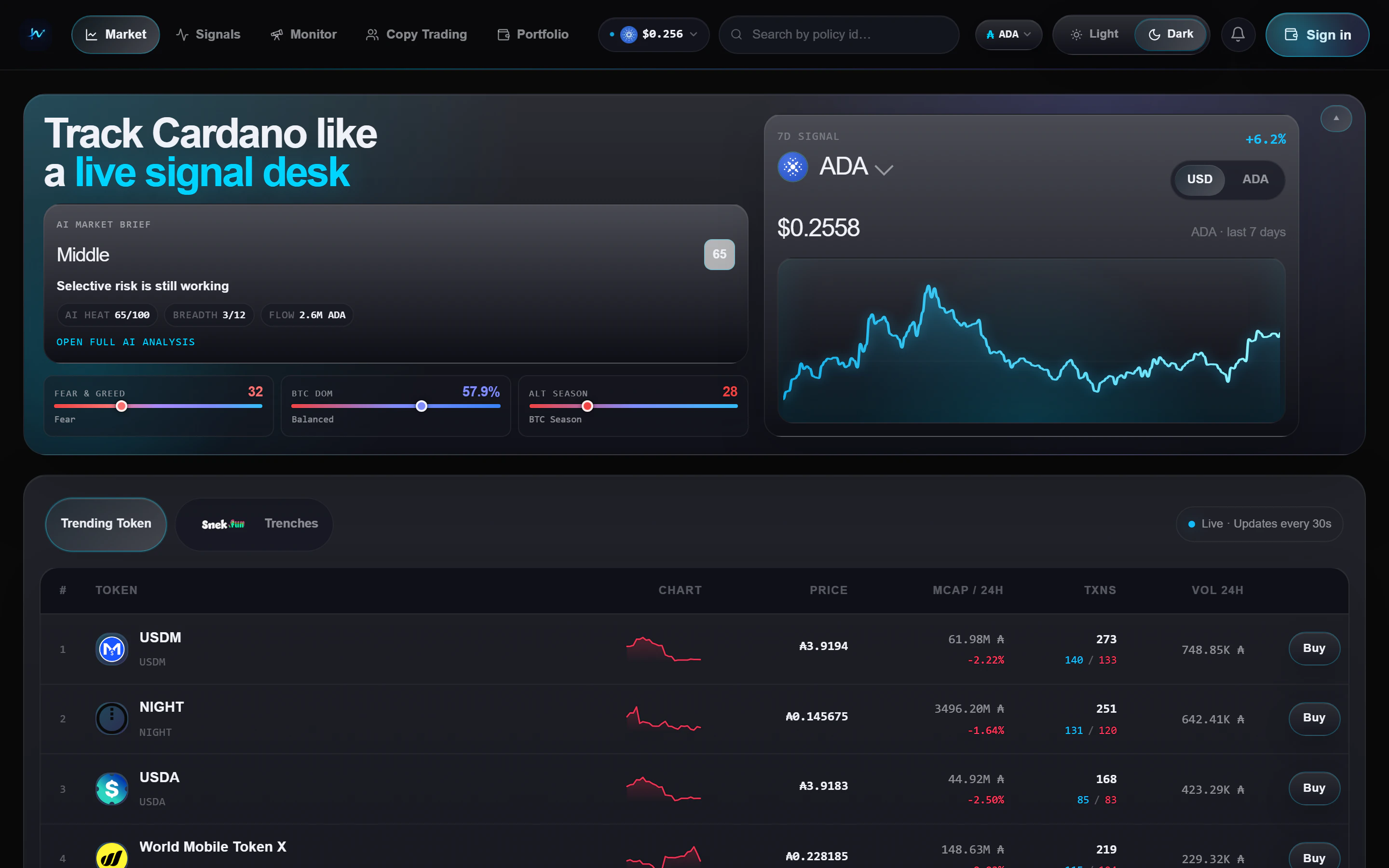
Market view with trending tokens and the AI market brief
What you see
The Market page has three stacked regions:1
Hero strip
An AI Market Brief card alongside the ADA price chart and macro gauges.
2
Token tabs
Two tabs: Trending for the broad market and Trenches for
snek.fun-first scanning.
3
Token table
A live table with price, market cap move, buy and sell flow, volume, and
a direct trade action.
Trending vs Trenches
- Trending
- Trenches
All Cardano tokens sorted by recent market activity. Use this view when
you want the broadest read on attention and liquidity.
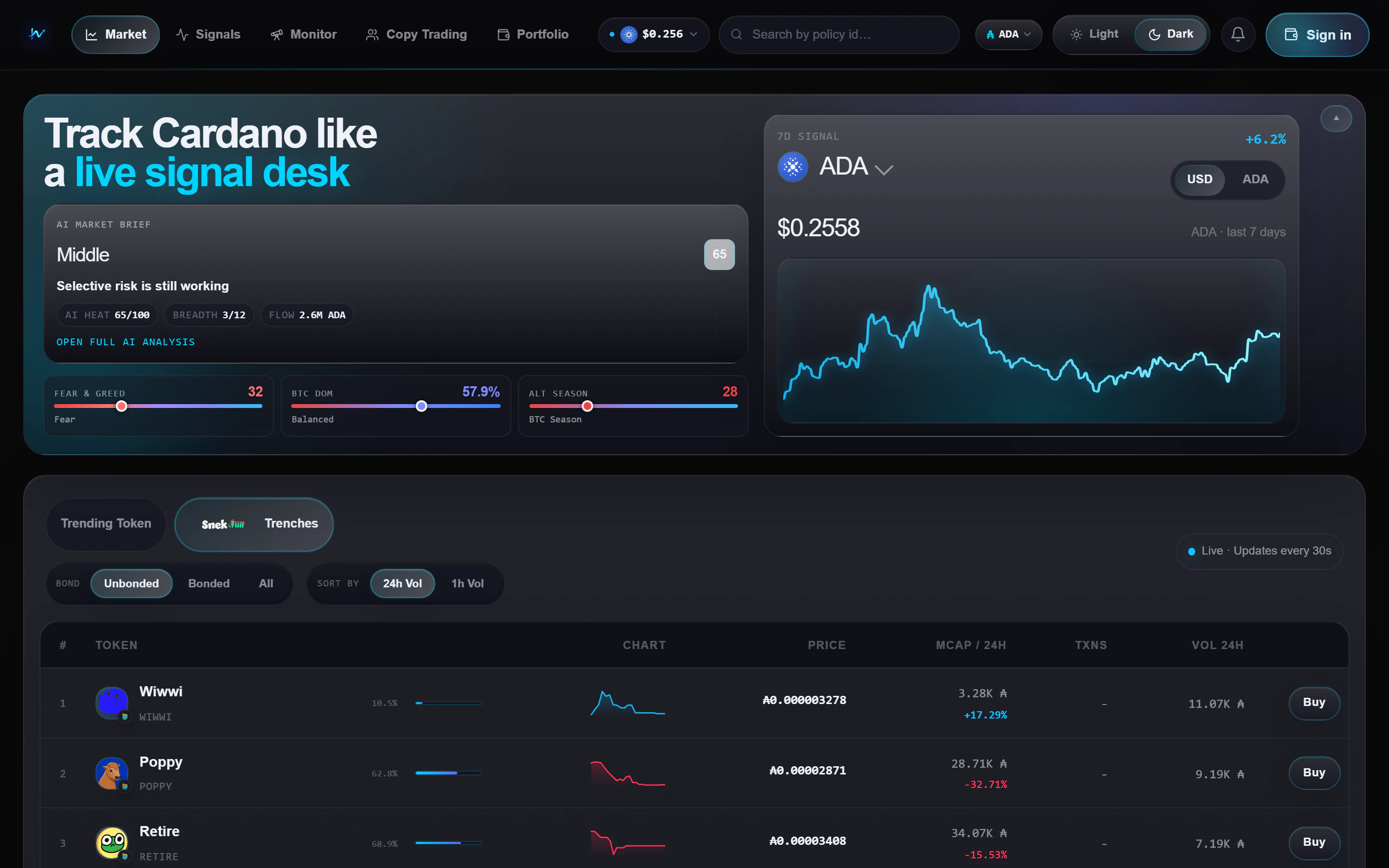
Trenches tab - snek.fun tokens with bond progress
How to use the page
- Start on Trending if you want a market-wide read
- Switch to Trenches when you want earlier snek.fun setups
- Open a row when you want the fuller token view with holders, chart, and distribution context
- Use the Buy action only after checking the fee line in the trade widget. See Trading fees for the route differences
Refresh cadence
- Token activity refreshes about every 30 seconds
- The market brief refreshes on a slower cadence than the token table
- Macro context is meant to guide your bias, not replace the token-level view