> ## Documentation Index
> Fetch the complete documentation index at: https://docs.hizz.io/llms.txt
> Use this file to discover all available pages before exploring further.
# Monitor
> Track KOL wallets and the snek.fun leaderboard from one page.
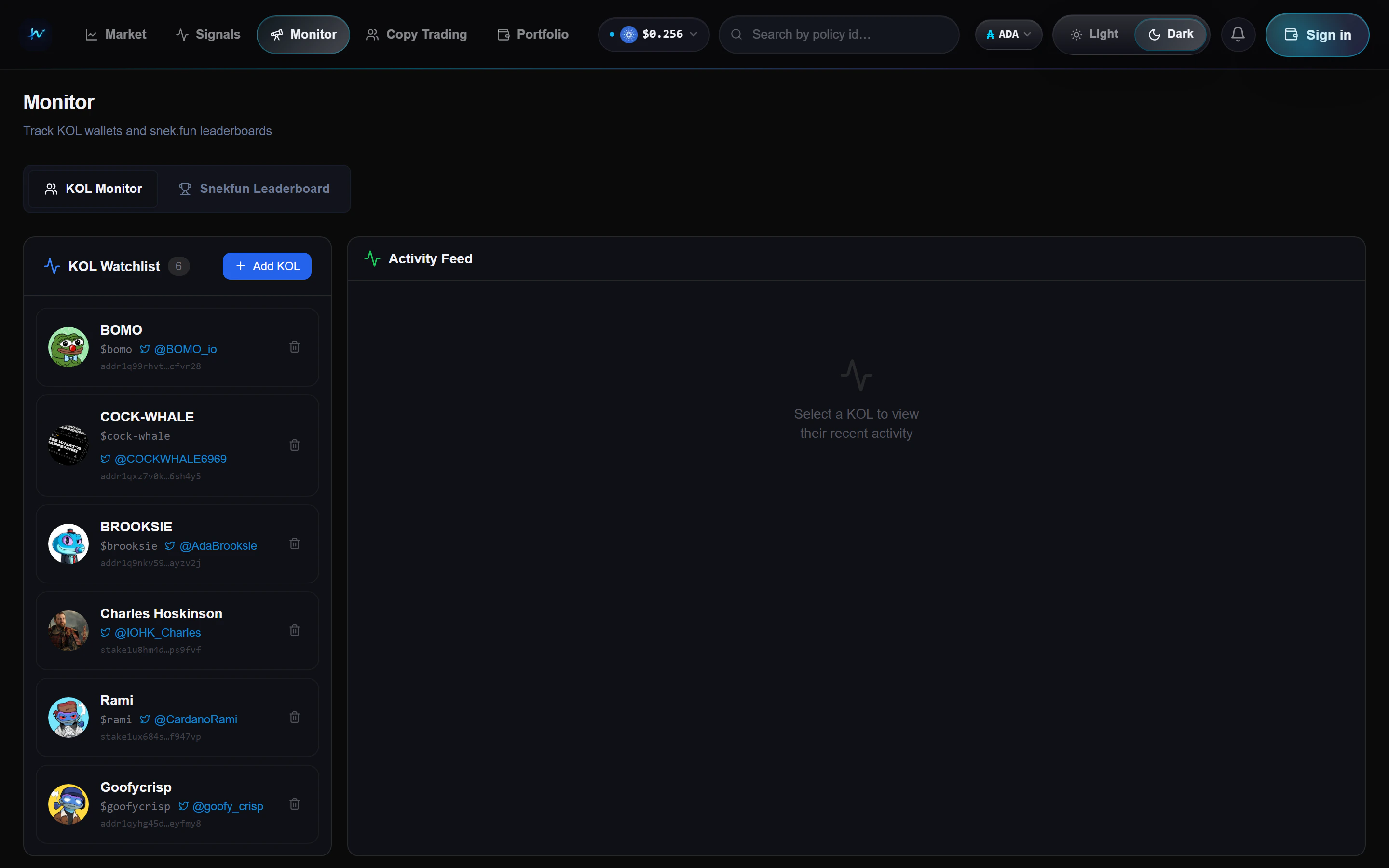 The **Monitor** page is split into two tabs: a curated **KOL watchlist** and
the live **snek.fun leaderboard**.
## KOL Monitor
A watchlist of labeled Cardano wallets. You can start with the built-in list
or add your own with **+ Add KOL**.
Wallet label, stake address, socials, and a quick way to load the wallet
on the right-hand side.
Recent trades for the selected wallet, ordered by time, with direction,
token, size in ADA, and a timestamp.
The Monitor page works best when you use it next to **Signals** or
**Trenches**. If a token is lighting up in both places, it usually deserves
a closer read.
## Snekfun Leaderboard
The second tab ranks snek.fun traders by realised PnL over a rolling window.
Use it to discover wallets worth adding to the KOL list.
Columns:
* Rank
* Wallet
* Realised PnL (ADA)
* Win rate
* Trade count
* Last trade
Hover a wallet to reveal a **+ Track** button that adds it to your KOL
watchlist in one click.
## Best uses
* Build a personal watchlist of wallets you trust
* Check whether a wallet is rotating in or out of a token before you chase
* Find new wallets from the leaderboard, then track them over time
The **Monitor** page is split into two tabs: a curated **KOL watchlist** and
the live **snek.fun leaderboard**.
## KOL Monitor
A watchlist of labeled Cardano wallets. You can start with the built-in list
or add your own with **+ Add KOL**.
Wallet label, stake address, socials, and a quick way to load the wallet
on the right-hand side.
Recent trades for the selected wallet, ordered by time, with direction,
token, size in ADA, and a timestamp.
The Monitor page works best when you use it next to **Signals** or
**Trenches**. If a token is lighting up in both places, it usually deserves
a closer read.
## Snekfun Leaderboard
The second tab ranks snek.fun traders by realised PnL over a rolling window.
Use it to discover wallets worth adding to the KOL list.
Columns:
* Rank
* Wallet
* Realised PnL (ADA)
* Win rate
* Trade count
* Last trade
Hover a wallet to reveal a **+ Track** button that adds it to your KOL
watchlist in one click.
## Best uses
* Build a personal watchlist of wallets you trust
* Check whether a wallet is rotating in or out of a token before you chase
* Find new wallets from the leaderboard, then track them over time