> ## Documentation Index
> Fetch the complete documentation index at: https://docs.hizz.io/llms.txt
> Use this file to discover all available pages before exploring further.
# Market
> The default landing view - trending Cardano tokens, snek.fun Trenches, and a live market pulse.
 ## What you see
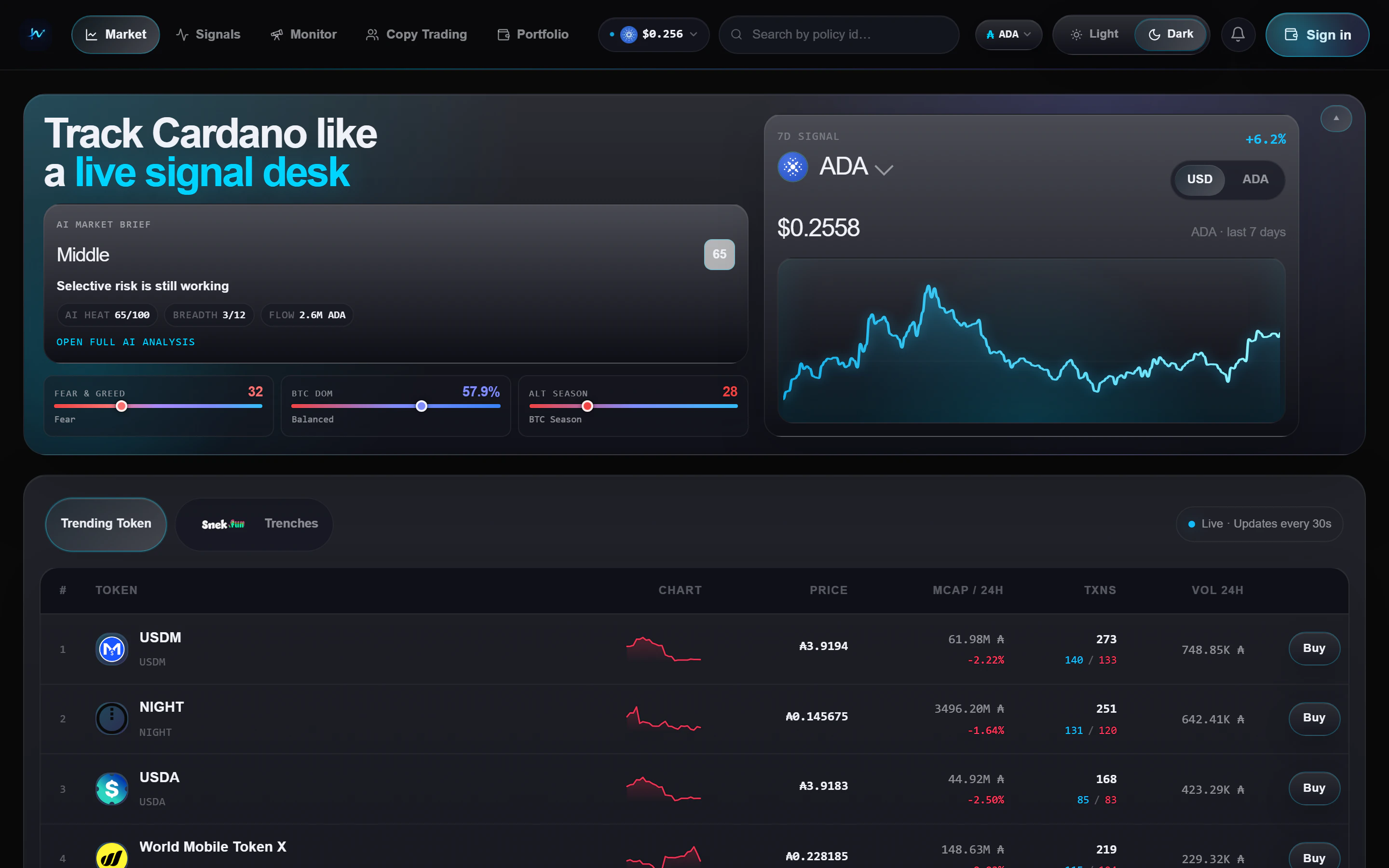
The Market page has three stacked regions:
An **AI Market Brief** card alongside the ADA price chart and macro gauges.
Two tabs: **Trending** for the broad market and **Trenches** for
snek.fun-first scanning.
A live table with price, market cap move, buy and sell flow, volume, and
a direct trade action.
## Trending vs Trenches
All Cardano tokens sorted by recent market activity. Use this view when
you want the broadest read on attention and liquidity.
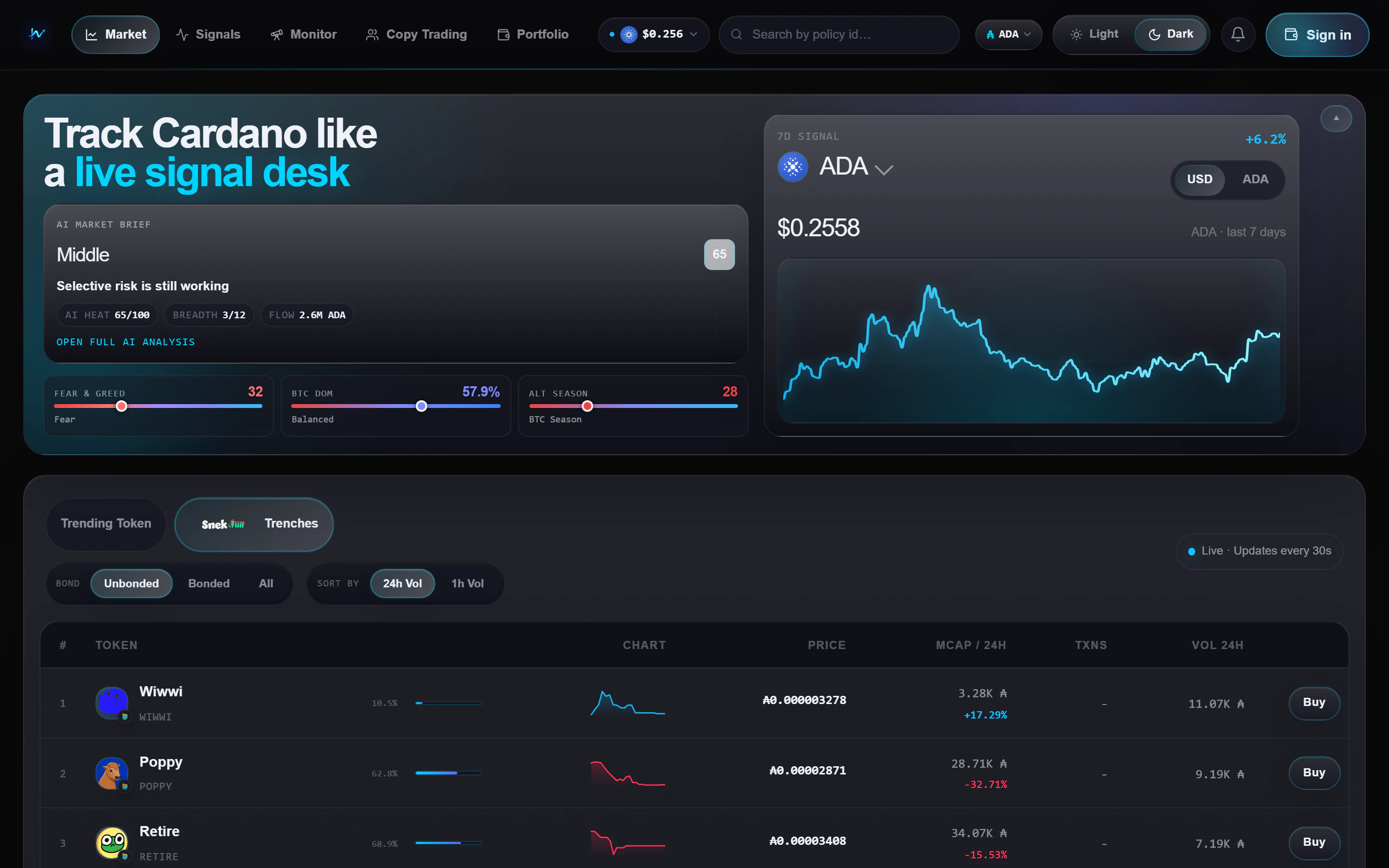
Filters to **snek.fun tokens only** and adds extra controls:
* **Sort** - focus on the metric that matters most for your scan
* **Bond status** - switch between unbonded, bonded, or all tokens
Each row includes a bond-progress bar showing how close the token is to
bond completion.
## What you see
The Market page has three stacked regions:
An **AI Market Brief** card alongside the ADA price chart and macro gauges.
Two tabs: **Trending** for the broad market and **Trenches** for
snek.fun-first scanning.
A live table with price, market cap move, buy and sell flow, volume, and
a direct trade action.
## Trending vs Trenches
All Cardano tokens sorted by recent market activity. Use this view when
you want the broadest read on attention and liquidity.
Filters to **snek.fun tokens only** and adds extra controls:
* **Sort** - focus on the metric that matters most for your scan
* **Bond status** - switch between unbonded, bonded, or all tokens
Each row includes a bond-progress bar showing how close the token is to
bond completion.
 ## How to use the page
* Start on **Trending** if you want a market-wide read
* Switch to **Trenches** when you want earlier snek.fun setups
* Open a row when you want the fuller token view with holders, chart, and
distribution context
* Use the **Buy** action only after checking the fee line in the trade widget.
See **[Trading fees](/trading-fees)** for the route differences
## Refresh cadence
* Token activity refreshes about every **30 seconds**
* The market brief refreshes on a slower cadence than the token table
* Macro context is meant to guide your bias, not replace the token-level view
## How to use the page
* Start on **Trending** if you want a market-wide read
* Switch to **Trenches** when you want earlier snek.fun setups
* Open a row when you want the fuller token view with holders, chart, and
distribution context
* Use the **Buy** action only after checking the fee line in the trade widget.
See **[Trading fees](/trading-fees)** for the route differences
## Refresh cadence
* Token activity refreshes about every **30 seconds**
* The market brief refreshes on a slower cadence than the token table
* Macro context is meant to guide your bias, not replace the token-level view